Notifications - October 4th
⭐ Highlights
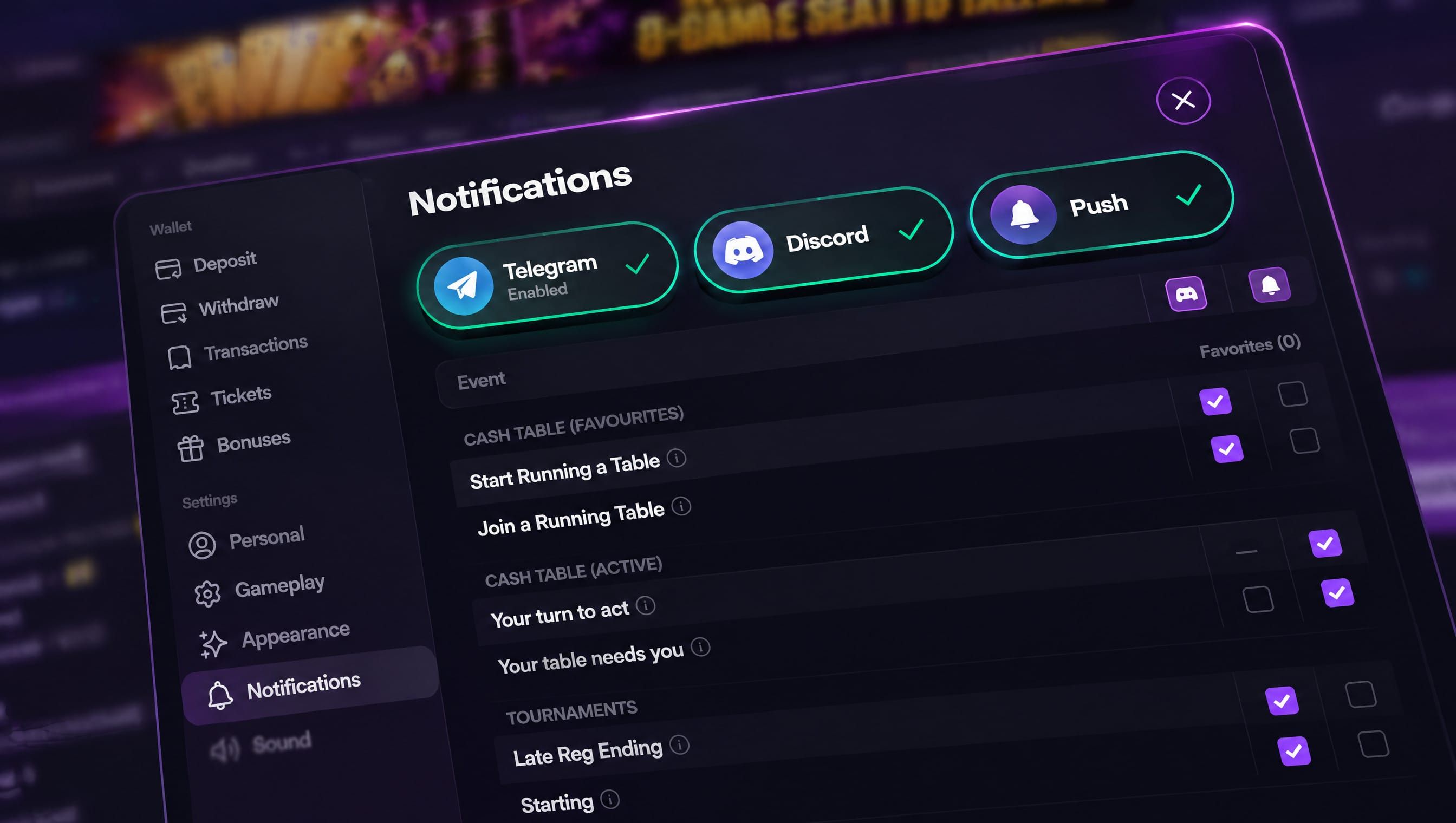
Notifications — Choose which alerts you get and where they arrive, and keep all your favourite tables and tournaments in one list.
Create a Game — Repeat a game in a mix with its own settings, and cap any no-limit or pot-limit game.
Faster showdowns — Split pots and side pots now play out about twice as fast.
🔔 Notifications
A new Notifications tab in Settings lets you choose which alerts you get and where they arrive: email, push or Telegram
Telegram & Discord — link your account in a couple of taps and get alerts as messages from the Phenom bot
Push notifications work in your browser, the installed mobile app and the desktop client. Tap one to go straight to the table or tournament
Favorite tournaments — star any tournament from its preview, on desktop or mobile. Each start time of a daily or weekly event can be starred on its own
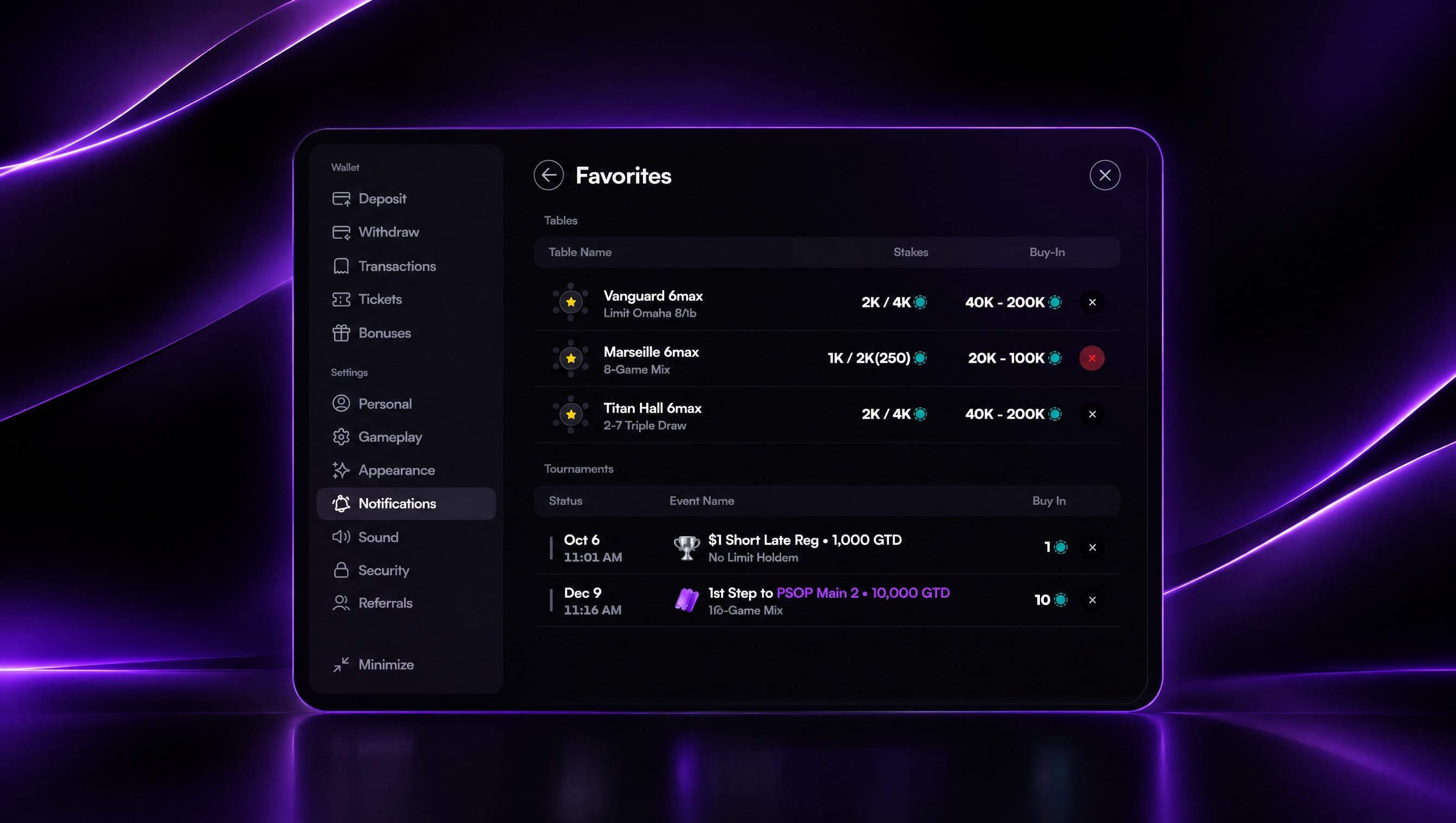
Favorites list — tap Favorites in the Notifications tab to see every table and tournament you've starred, with each tournament's next start time. Remove any of them in one tap
Favorite tables — get an alert when a table you've starred gets its first player or starts dealing
Your turn to act — a push alert when it's your turn at a cash table and you're looking elsewhere. It goes only to the device you're playing on, so your other devices don't buzz
Your table needs you — a reminder when you're sitting out and your return would let play start
Tournament alerts — a heads-up 15 minutes before a tournament you've starred or registered for starts, and before late registration closes on a starred tournament with an overlay
Pause alerts for 1, 4 or 8 hours or until tomorrow, with a countdown showing when they turn back on, or set daily Quiet Hours
On the installed mobile app, a one-tap prompt helps you switch push notifications on
🃏 Create a Game: Repeated Games and Caps
Repeated games can now be set up separately each time they appear in a mix, with their own stakes, ante, bring-in and cap
"Add again" copies a game with all of its settings, and changing the copy leaves the original as it was
Any no-limit or pot-limit game can now be capped from 20 to 100 BB with one Cap switch. You no longer need to pick a separate "Capped" version
Capped games show their cap wherever the game is named, for example "PLO · Cap 60 BB", and the lobby's Capped filter finds them
✨ Improvements
Showdowns now play about twice as fast, so split pots and side pots no longer hold up the next hand
Hands won without a showdown no longer light up the winner's cards or show a hand badge
Free tournaments now show FREE in the tournament flyout instead of 0.00
PSOP leaderboard now counts 25 and 50 CHIP events at x0.75 points, and buy-ins from 2,500 to 4,999 count at x1.75, as the published rules say
OFC and Taiwanese tables now use the same rule as other cash tables when you're alone at the table: you're sat out after 5 minutes disconnected, and after 6 hours connected you're asked "Still at this table?"
Chip and card animations at the table now run smoothly on mobile
🛠️ Fixes & Bugs
Fixed T$ registrations sometimes using a tournament ticket instead of T$, including after entering a password or choosing "Register anyway"
"Register anyway" on a password-protected tournament now asks for the password instead of failing
Fixed new tournament tables not starting in hand-for-hand mode when hand-for-hand was already on
Fixed the PSOP Series carousel not loading tournaments after the first page
Fixed the tournament chat card staying on its overlay after late registration. It now shows players, leader and prize
Fixed draw games letting you select cards to discard after the final draw
Folded cards you reveal during a showdown now show at full brightness instead of staying grey
Fixed the mobile table switcher appearing when you're seated at only one table