Changelog

Follow new updates and improvements to Phenom Poker.

Platform Updates October 16th
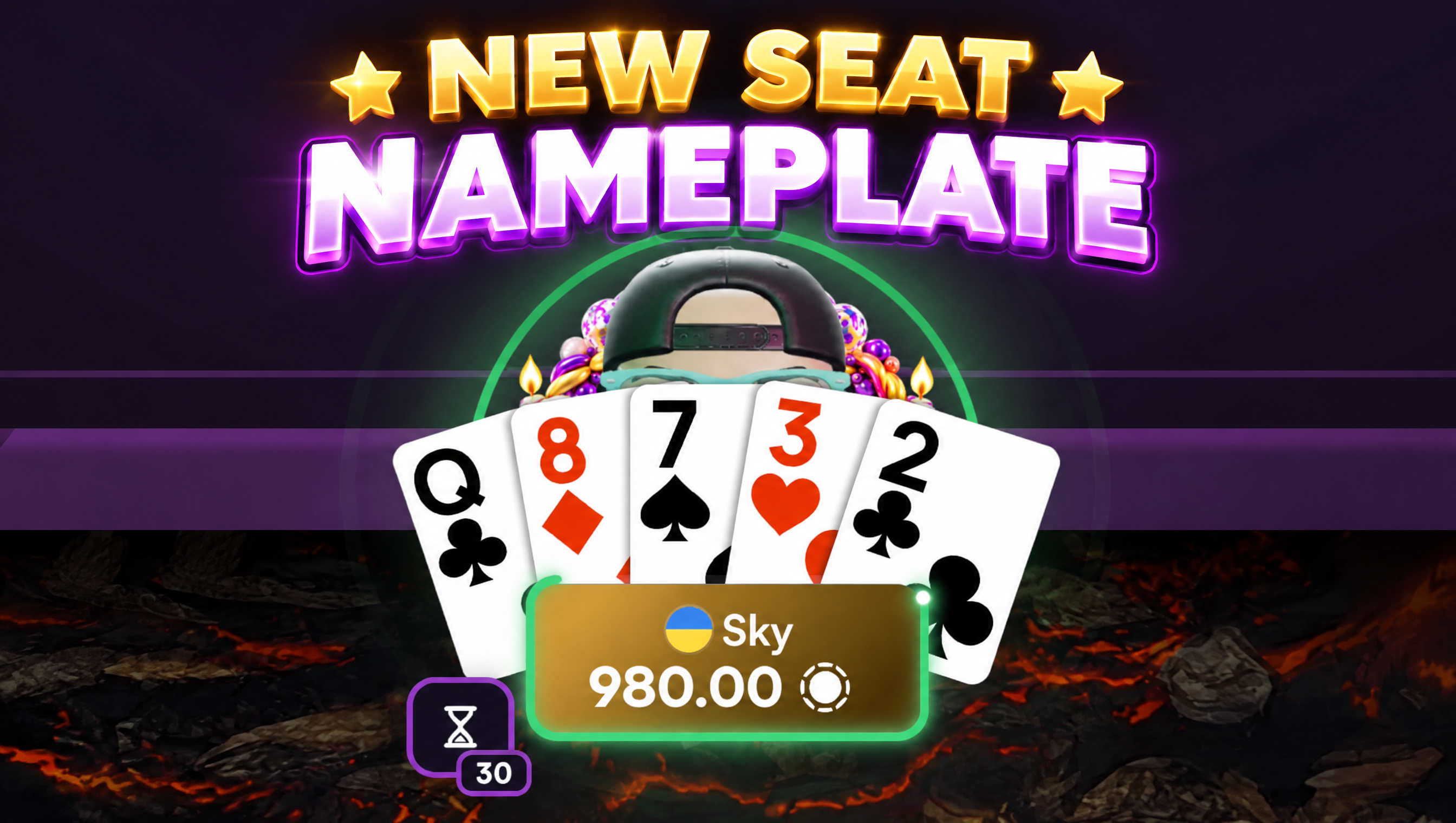
🎨 New Seat Nameplates

  • Every seat has a redesigned nameplate with a round country flag, the player's name and their stack

  • Streamers and ambassadors are now shown by name colour (red for streamers, purple for ambassadors) instead of badges

  • Player notes at a glance: if you've noted a player, a corner of their plate shows your note colour. Hover it to see your three newest notes

  • The turn timer now runs around the border of the acting player's plate. It fades to red in the last seconds and turns purple on time bank

  • The acting seat now gets a soft pulsing ring around the avatar, so it's easy to spot whose turn it is

  • Big stacks always show the full amount, never shortened to K or M

  • In capped games, the plate also shows the player's total stack in brackets

  • In draw games, a pill shows how many cards each player drew. Choose how it sits next to action labels in Settings β†’ Gameplay β†’ Table β†’ Action label with count

  • Players sitting out show a countdown, plus an SB/BB badge when they owe blinds

  • Your time bank button shows your banked seconds and drains while your time bank runs

  • OFC and Taiwanese tables use the same new nameplate

✨ Improvements
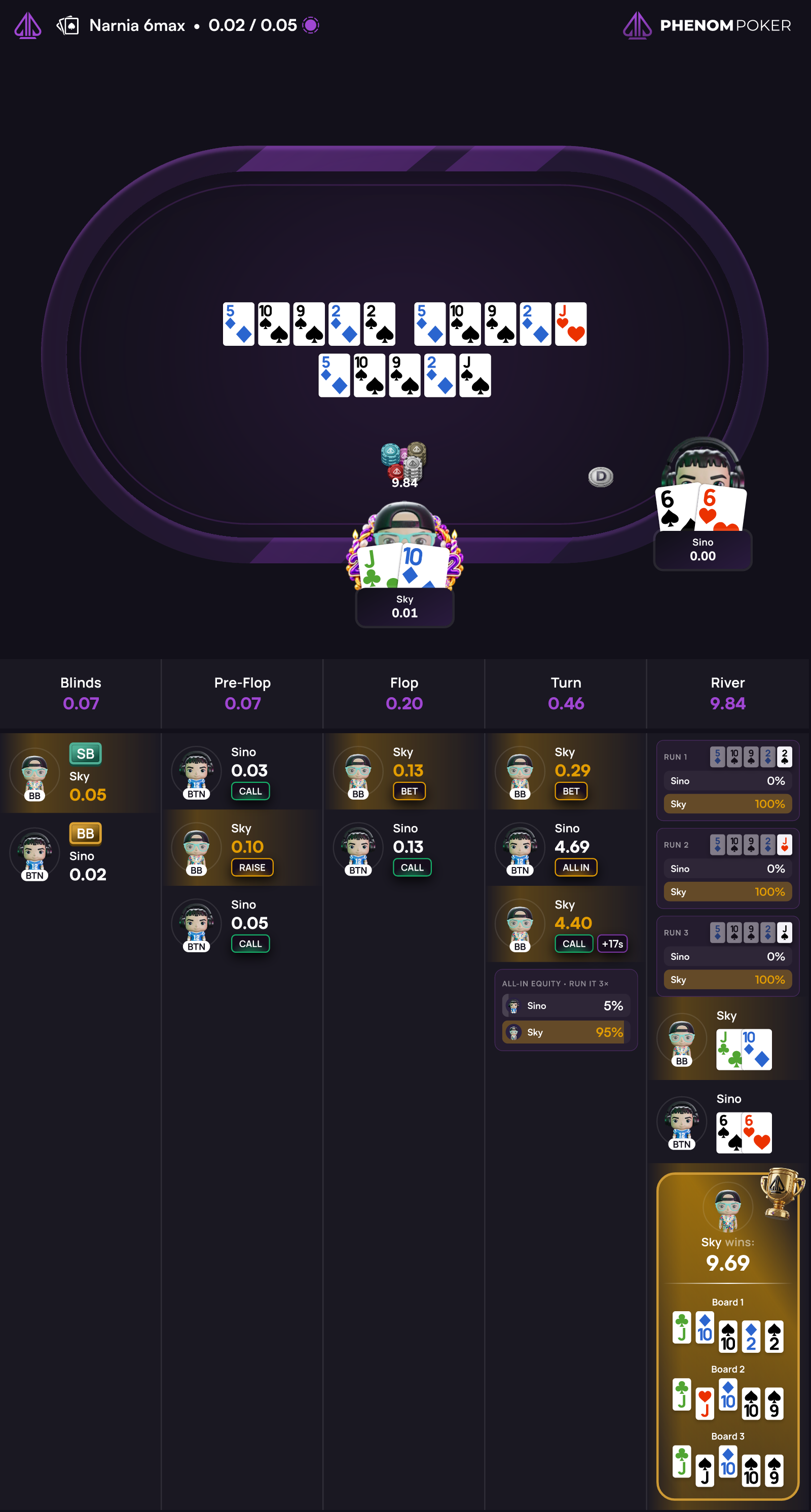
  • Hand replays now show each player's all-in equity for every street after betting closes, including Hi/Lo splits, run it twice and double-board hands

  • Actions that used the time bank now show a +Ns timebank tag in hand replays and downloaded hand images

  • Hand replays now open at showdown. Press play to watch the hand from the start

  • Narrow hand replay windows on desktop no longer show the mobile header and tab bar

πŸ•’ Time Zone & Time Format

  • New Time zone setting in Settings β†’ Appearance: pick any zone in the world, or keep your browser's default

  • Choose between 12-hour and 24-hour time

  • Every clock time follows your choice: tournament start times, tickets, transactions, sessions, rewards, hand history, table chat and quiet hours

🀝 Agent Dashboard

  • The new Agent Dashboard is now live for every agent, with Cash Rake, Tournament Rake and Player Rewards columns (also in the CSV export)

  • Total Rake Share now shows what you earn from every row, sub-agents included, and adds up to your payout

  • Expand a sub-agent to see how your earnings from their network break down

  • Creating tickets is clearer: every event shows its start time, entries, buy-in and registration status, and satellites are grouped under their target event

  • Paste a tournament ID or link to jump straight to that event, or browse all events with the lobby's filters and a date range

πŸ› οΈ Fixes & Bugs

  • Wallet balances now update reliably after buy-ins, cash-outs and transfers

  • Fixed a hand trying to start with too few active players after others sat out at the next big blind

  • Fixed some referral CPA payouts staying pending when the referrer's registration hadn't completed

  • Fixed rakeback payouts that could be interrupted during platform updates
Notifications - October 4th

⭐ Highlights

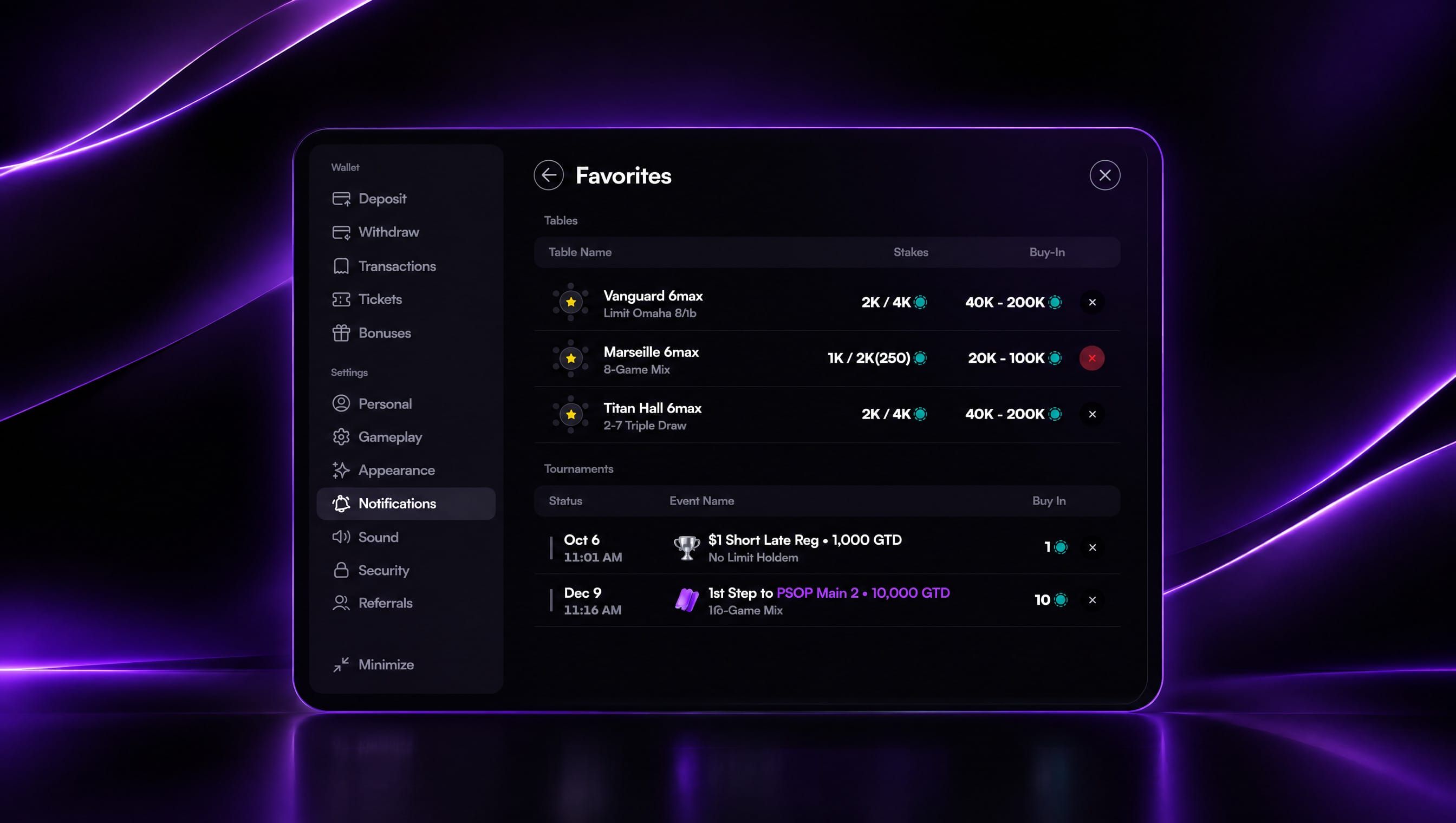
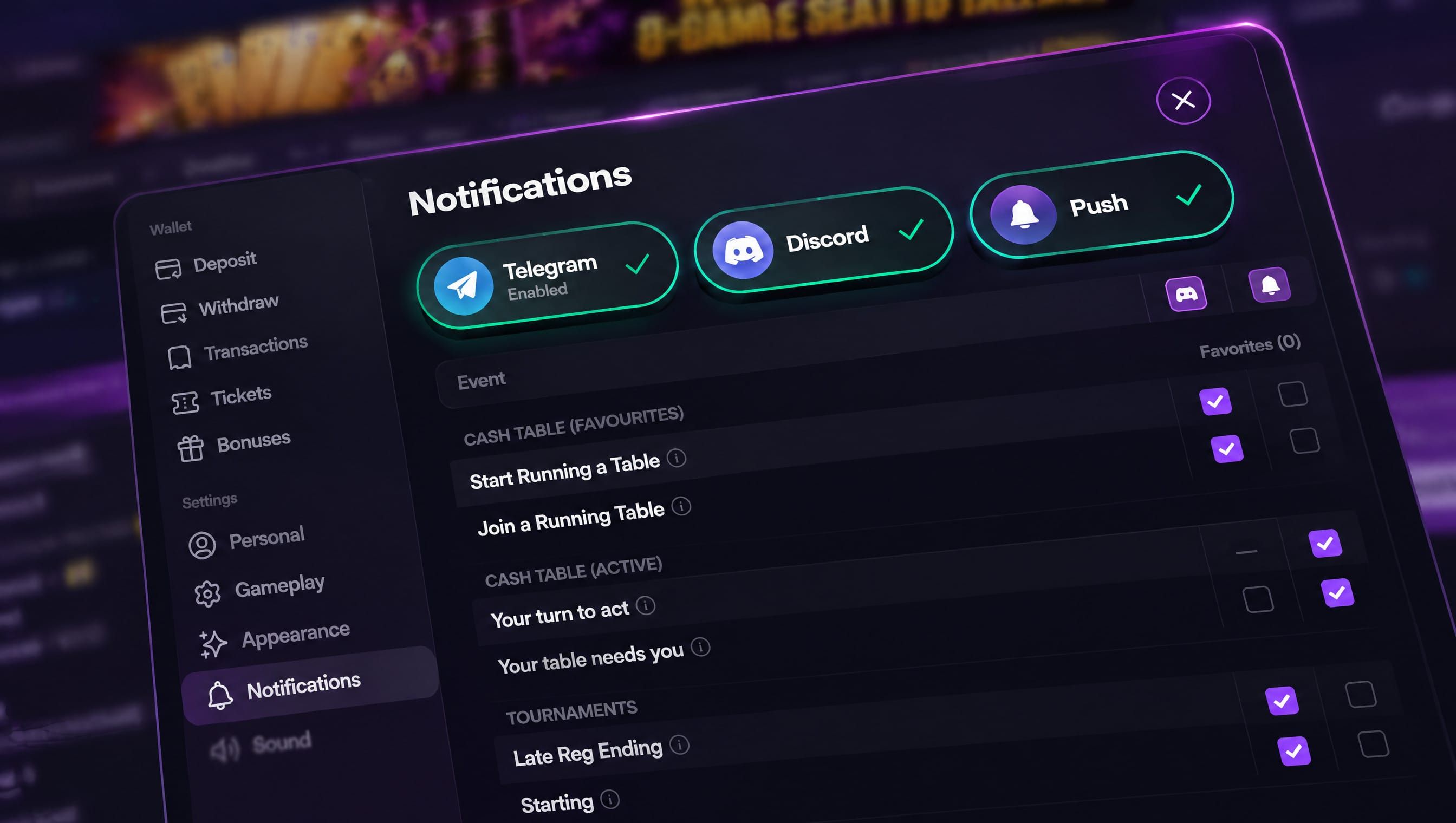
Notifications β€” Choose which alerts you get and where they arrive, and keep all your favourite tables and tournaments in one list.

Create a Game β€” Repeat a game in a mix with its own settings, and cap any no-limit or pot-limit game.

Faster showdowns β€” Split pots and side pots now play out about twice as fast.

πŸ”” Notifications

  • A new Notifications tab in Settings lets you choose which alerts you get and where they arrive: email, push or Telegram

  • Telegram & Discord β€” link your account in a couple of taps and get alerts as messages from the Phenom bot

  • Push notifications work in your browser, the installed mobile app and the desktop client. Tap one to go straight to the table or tournament

  • Favorite tournaments β€” star any tournament from its preview, on desktop or mobile. Each start time of a daily or weekly event can be starred on its own

  • Favorites list β€” tap Favorites in the Notifications tab to see every table and tournament you've starred, with each tournament's next start time. Remove any of them in one tap

  • Favorite tables β€” get an alert when a table you've starred gets its first player or starts dealing

  • Your turn to act β€” a push alert when it's your turn at a cash table and you're looking elsewhere. It goes only to the device you're playing on, so your other devices don't buzz

  • Your table needs you β€” a reminder when you're sitting out and your return would let play start

  • Tournament alerts β€” a heads-up 15 minutes before a tournament you've starred or registered for starts, and before late registration closes on a starred tournament with an overlay

  • Pause alerts for 1, 4 or 8 hours or until tomorrow, with a countdown showing when they turn back on, or set daily Quiet Hours

  • On the installed mobile app, a one-tap prompt helps you switch push notifications on

πŸƒ Create a Game: Repeated Games and Caps

  • Repeated games can now be set up separately each time they appear in a mix, with their own stakes, ante, bring-in and cap

  • "Add again" copies a game with all of its settings, and changing the copy leaves the original as it was

  • Any no-limit or pot-limit game can now be capped from 20 to 100 BB with one Cap switch. You no longer need to pick a separate "Capped" version

  • Capped games show their cap wherever the game is named, for example "PLO Β· Cap 60 BB", and the lobby's Capped filter finds them

✨ Improvements

  • Showdowns now play about twice as fast, so split pots and side pots no longer hold up the next hand

  • Hands won without a showdown no longer light up the winner's cards or show a hand badge

  • Free tournaments now show FREE in the tournament flyout instead of 0.00

  • PSOP leaderboard now counts 25 and 50 CHIP events at x0.75 points, and buy-ins from 2,500 to 4,999 count at x1.75, as the published rules say

  • OFC and Taiwanese tables now use the same rule as other cash tables when you're alone at the table: you're sat out after 5 minutes disconnected, and after 6 hours connected you're asked "Still at this table?"

  • Chip and card animations at the table now run smoothly on mobile

πŸ› οΈ Fixes & Bugs

  • Fixed T$ registrations sometimes using a tournament ticket instead of T$, including after entering a password or choosing "Register anyway"

  • "Register anyway" on a password-protected tournament now asks for the password instead of failing

  • Fixed new tournament tables not starting in hand-for-hand mode when hand-for-hand was already on

  • Fixed the PSOP Series carousel not loading tournaments after the first page

  • Fixed the tournament chat card staying on its overlay after late registration. It now shows players, leader and prize

  • Fixed draw games letting you select cards to discard after the final draw

  • Folded cards you reveal during a showdown now show at full brightness instead of staying grey

  • Fixed the mobile table switcher appearing when you're seated at only one table

Create a Game & Chat Cards - Platform Updates September 28th

⭐ Highlights

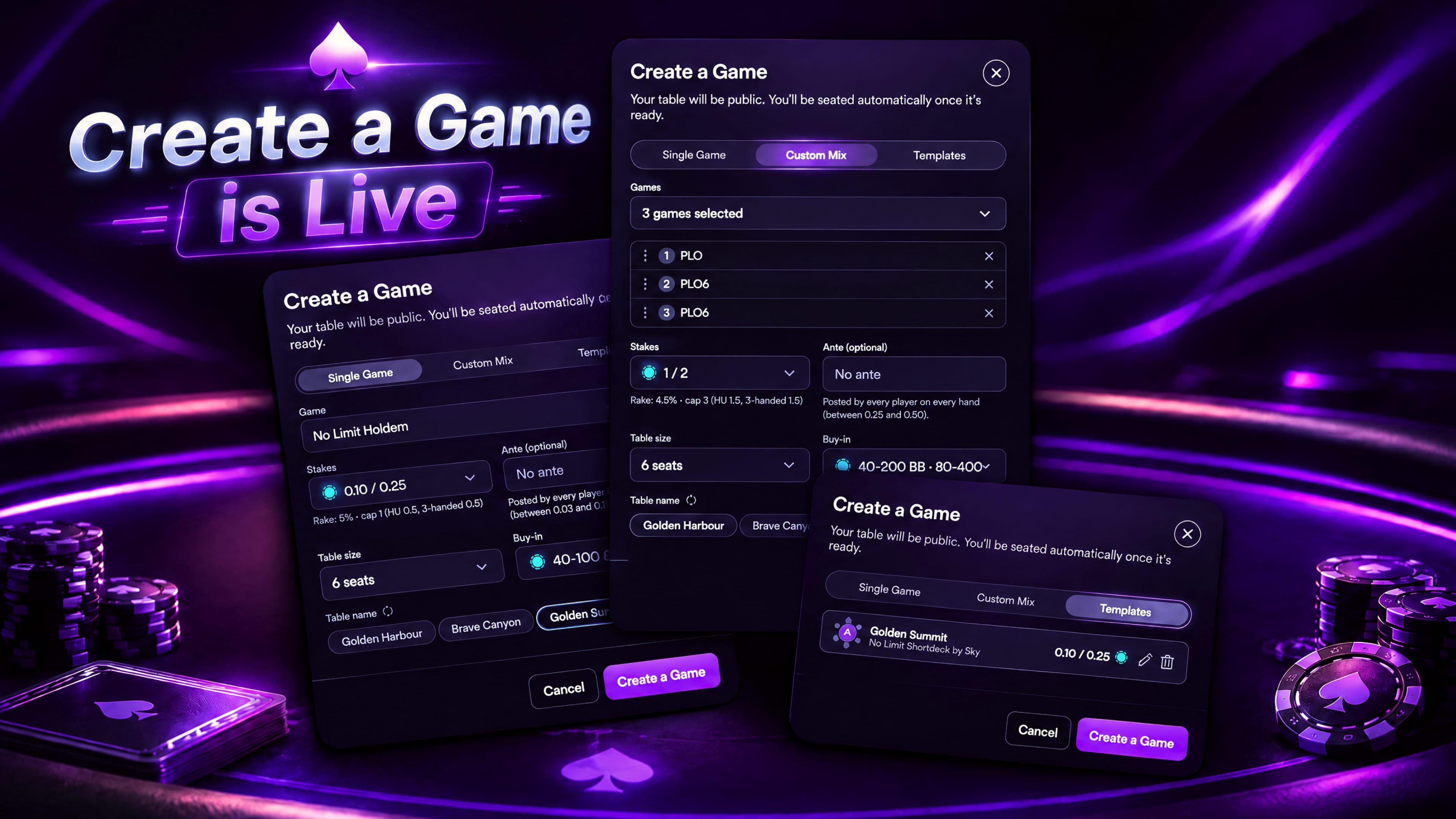
Create a Game β€” Gold+ players can now build their own cash table, pick the game, stakes and seats, and get seated the moment it opens.
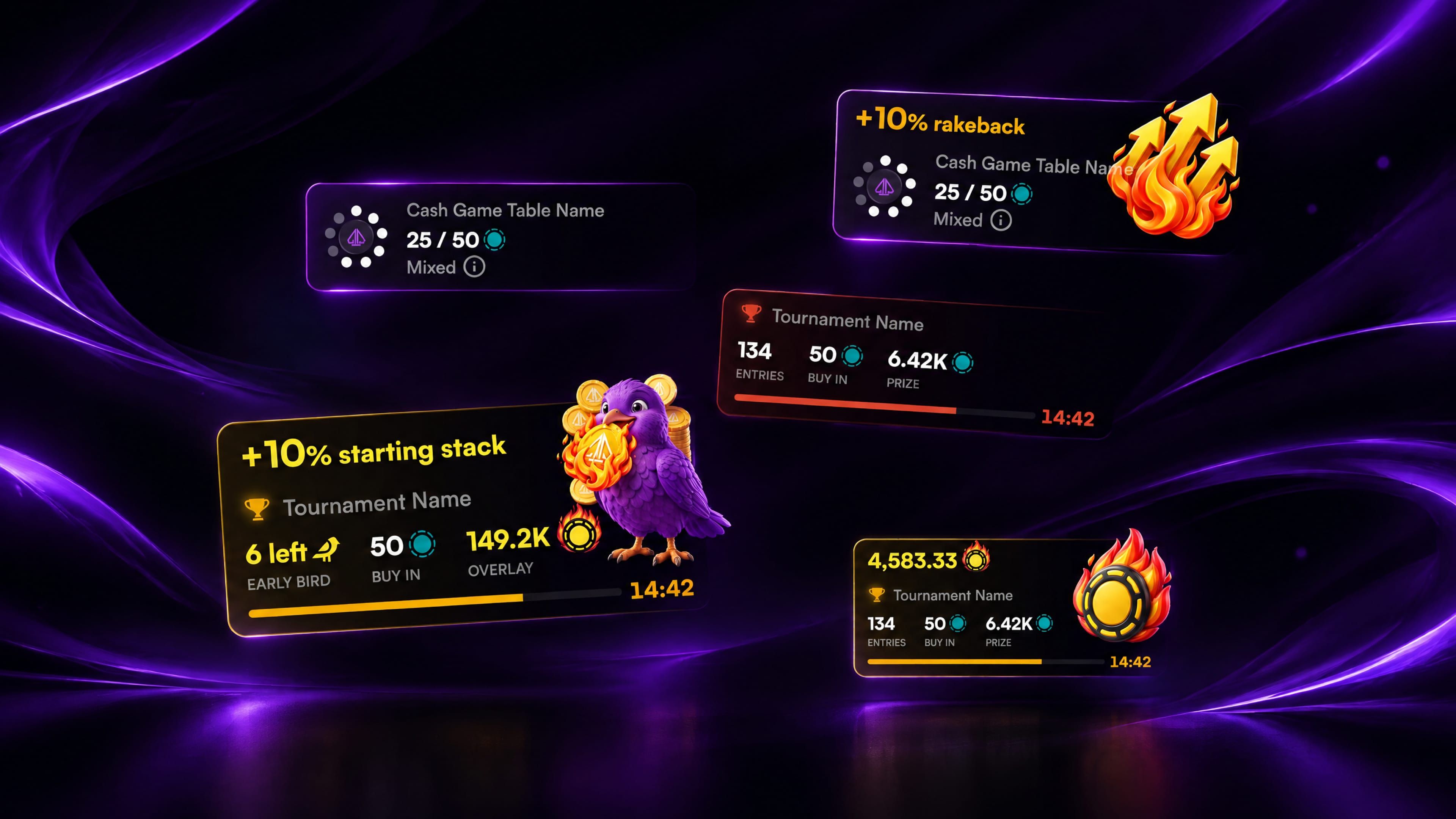
Live Chat Cards β€” Tables and tournaments now show up in Global Chat as live cards you can tap straight into, and you can share your own.
New games β€” Razz Fusion joins the lobby, and Big Bet Mix grows to seven games.

🎲 Create a Game

  • Build your own cash table β€” hit Create a Game in the lobby (next to the filters on desktop, at the end of the search row on mobile)

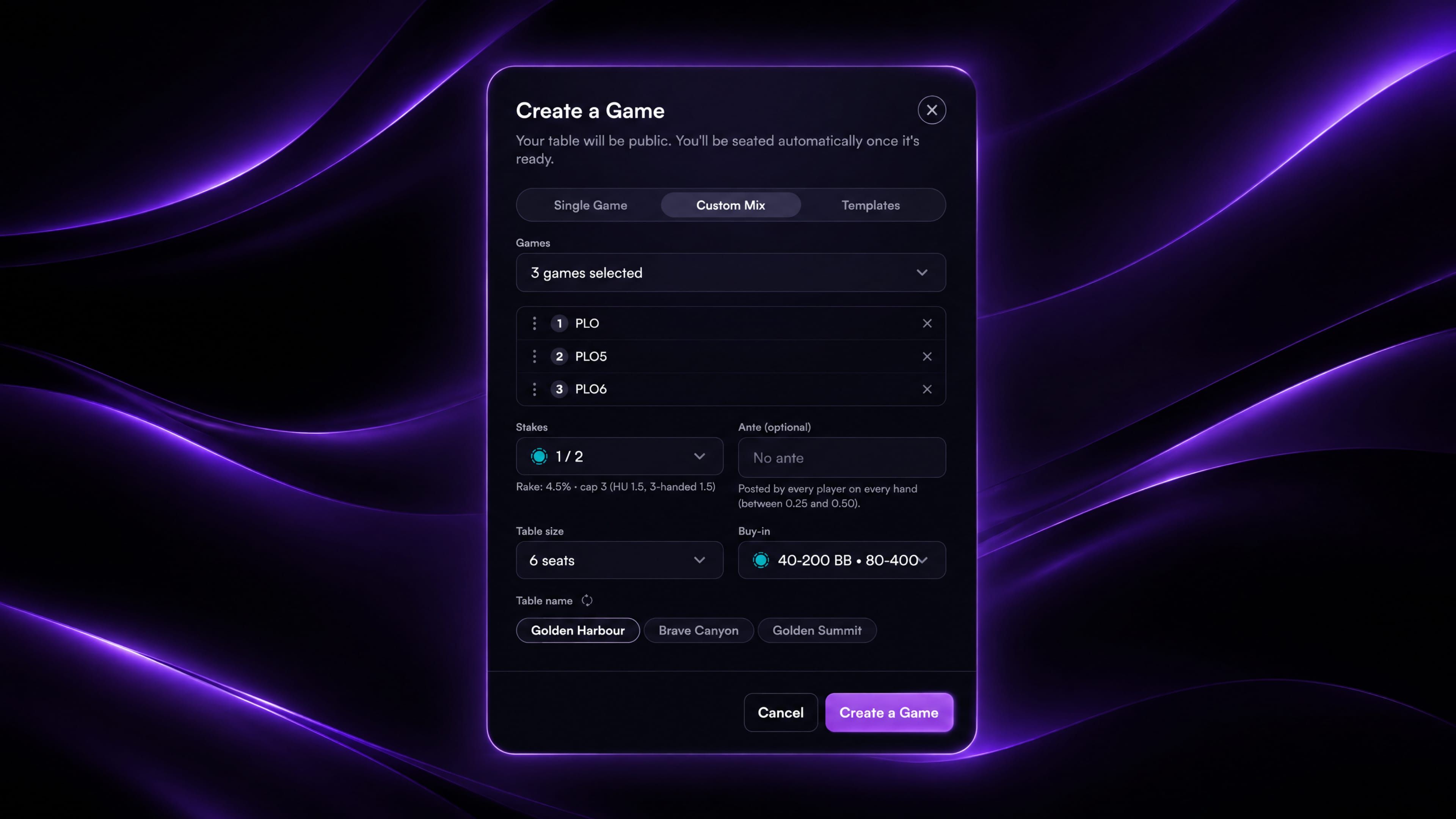
  • Single Game β€” pick a game, set the stakes and add an optional ante. Stud games also take a bring-in

  • Custom Mix β€” tick up to 10 games, then drag them into the order you want them to rotate

  • Choose the table size (2 to 9 seats, depending on the game) and the buy-in range, and pick one of three suggested table names. Hit refresh for three more

  • The house rake shows under the stakes before you create, so you know exactly what the table costs

  • Straight to your seat β€” the table opens as soon as it's ready and seats you automatically at the maximum buy-in, or your full balance if it's lower

  • Templates β€” every table you create is saved. Recreate it in one click, edit it, or delete it

  • Your table appears in the lobby for everyone to join, marked "by {your alias}". Click another creator's alias to open their player info

  • A table nobody buys into closes after 5 minutes, and a table closes once its last player leaves

  • Available to Gold tier and above (including staking boosts)

πŸ’¬ Live Chat Cards

  • Global Chat now shows live cards for tables and tournaments, with figures that update as you watch. Tap a card to open the table or tournament details

  • Automatic tournament announcements a tournament is about to start, late registration is closing or a tournament has an overlay

  • Share a table or tournament by tapping the mini table or trophy icon in its lobby preview. On desktop it drops into your chat box so you can add a note, and on mobile it's copied to paste into chat

  • You can also paste a table or tournament link into Global Chat, or type /t followed by its ID, and it turns into a card

  • Tournaments with an Early Bird bonus now show a panel with the reward, spots left and a countdown until the bonus ends

πŸƒ New Games

  • Razz Fusion β€” a new tournament only four-game stud mix rotating 2-7 Razz, Razzdugi, Razz and Razzdeucey.

  • Big Bet Mix now rotates seven games, adding PL 2-7 Triple Draw and PLO 8/b. The Capped version gets the same games

πŸ› οΈ Fixes & Bugs

  • Fixed slow tournament registrations and re-entries showing as failed. You now see "Still Processing" and your registration updates on its own

  • Fixed leaderboard avatars not showing on the podium and in the table rows

  • Fixed hand images showing avatars overlapping their frames

  • Fixed shown hands in the hand history grid listing their cards in a different order from the table

  • Fixed tables occasionally freezing for good after a brief server hiccup

  • Opening a table while servers are busy now retries on its own instead of showing an error

  • Fixed Ethereum USDC and USDT deposit addresses sometimes failing to generate

  • Fixed deposits from networks other than Polygon taking longer than usual to credit

Earlier updates